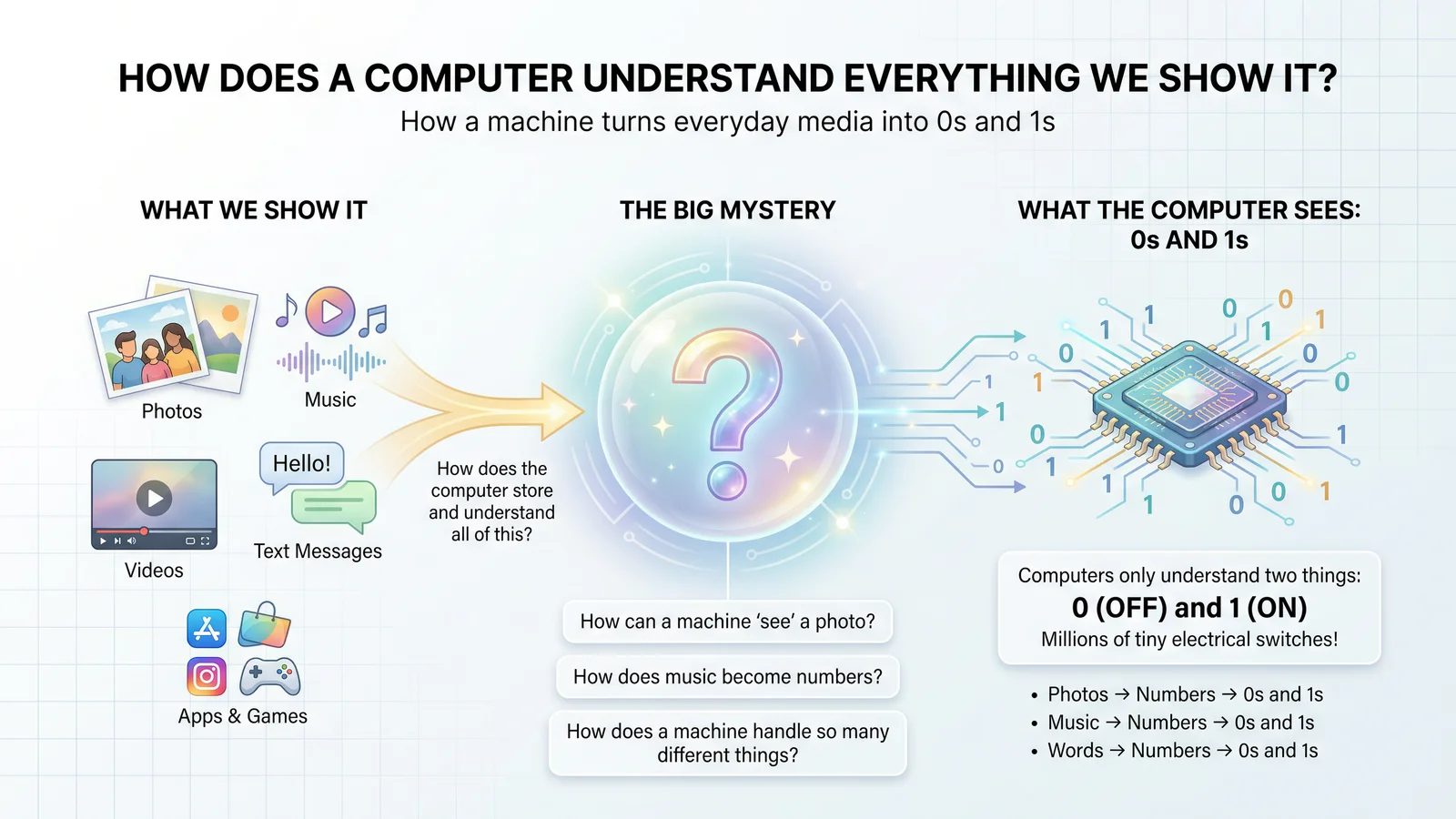
Have you ever wondered how a computer understands the things you show it?
You can type a message, open a photograph, play a song, or watch a video. Your computer can process all of them, even though they are completely different types of information.
But how does a machine represent all these things using just electrical signals?
The answer begins with something surprisingly simple: two digits, 0 and 1.
These two digits form the foundation of how computers represent and process information.
Let’s understand how this works.
Why Do Computers Use 0s and 1s?
Inside a computer, billions of tiny electronic components called Transistors work together to process information.
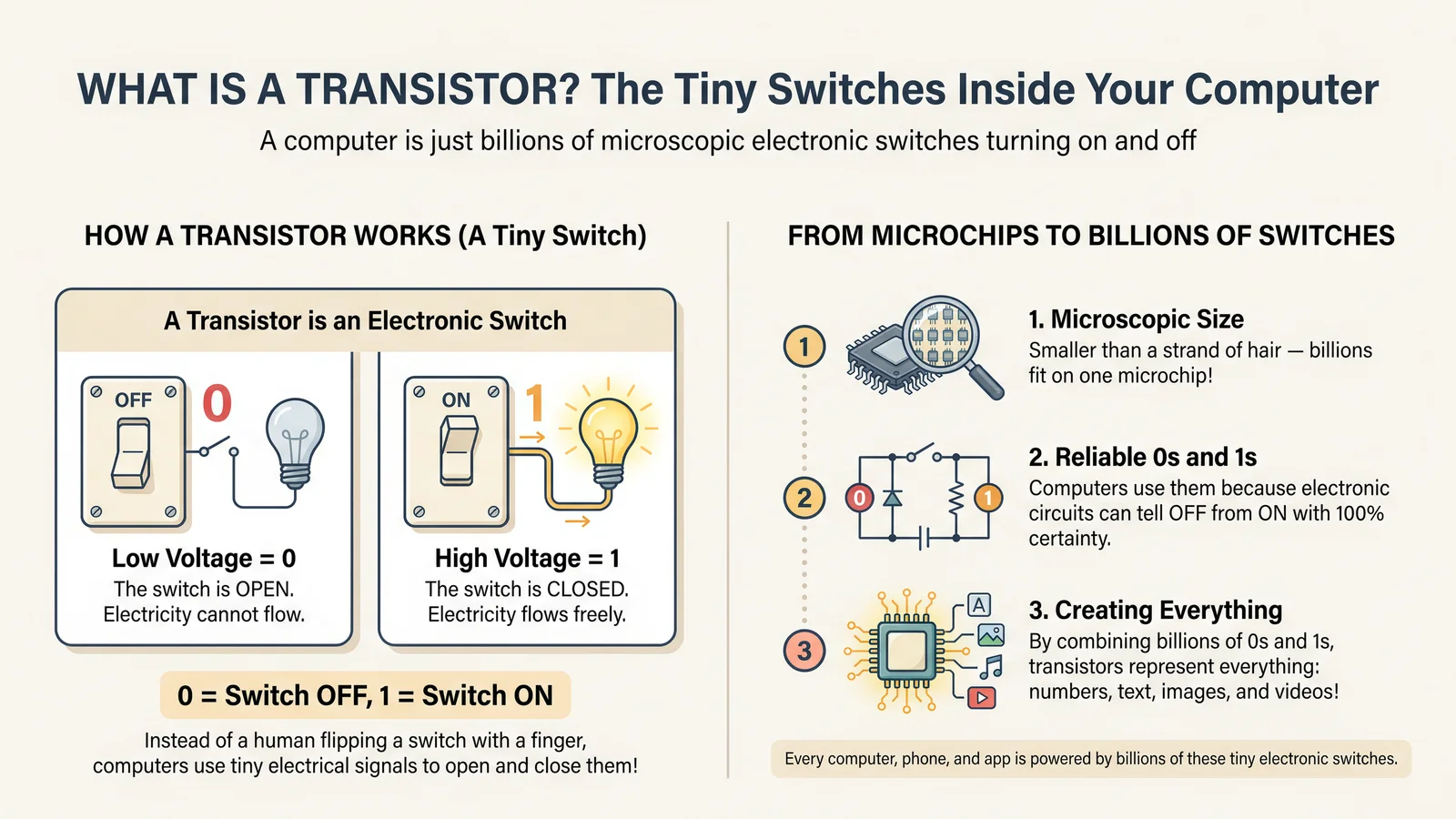
A transistor acts like a tiny electronic switch. It controls electrical signals and allows electronic circuits to represent two distinct states.
We represent these states as:
- 0: A low electrical state.
- 1: A high electrical state.
Think of a simple light switch. It can either be OFF or ON.
Computers use these two states because electronic circuits can distinguish between them reliably.
This two-digit number system is called binary.
By combining different patterns of 0s and 1s, computers can represent numbers, instructions, text, images, and much more.
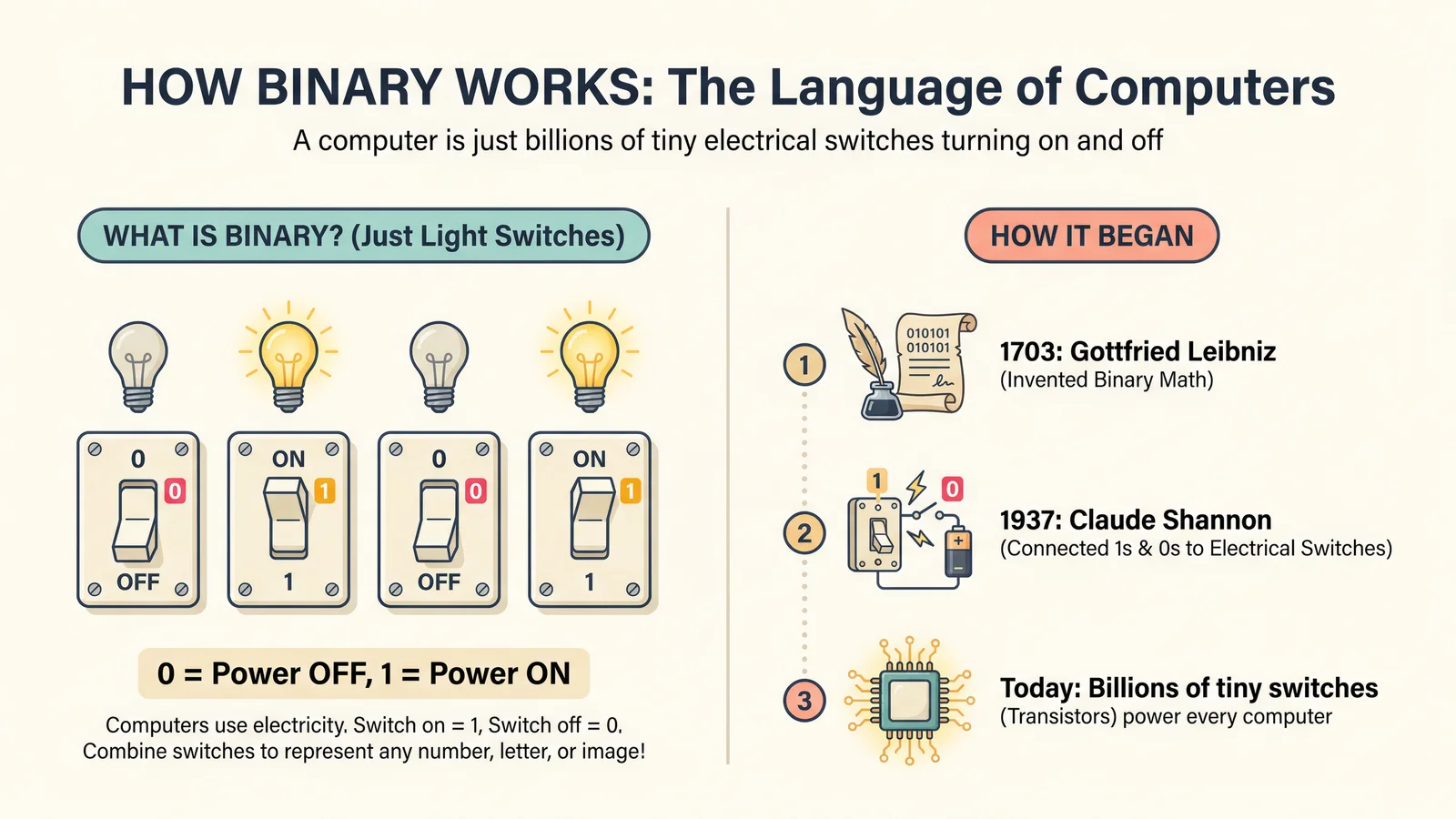
The illustration shows how simple ON/OFF switches represent binary values. It also highlights two important milestones in the development of binary computing: Gottfried Wilhelm Leibniz’s publication on binary arithmetic in 1703 and Claude Shannon’s work connecting Boolean algebra with electrical switching circuits in 1937.
Today, billions of transistors use electrical states to make digital computing possible.
But how can just two digits represent more than two values?
Understanding the Binary Number System
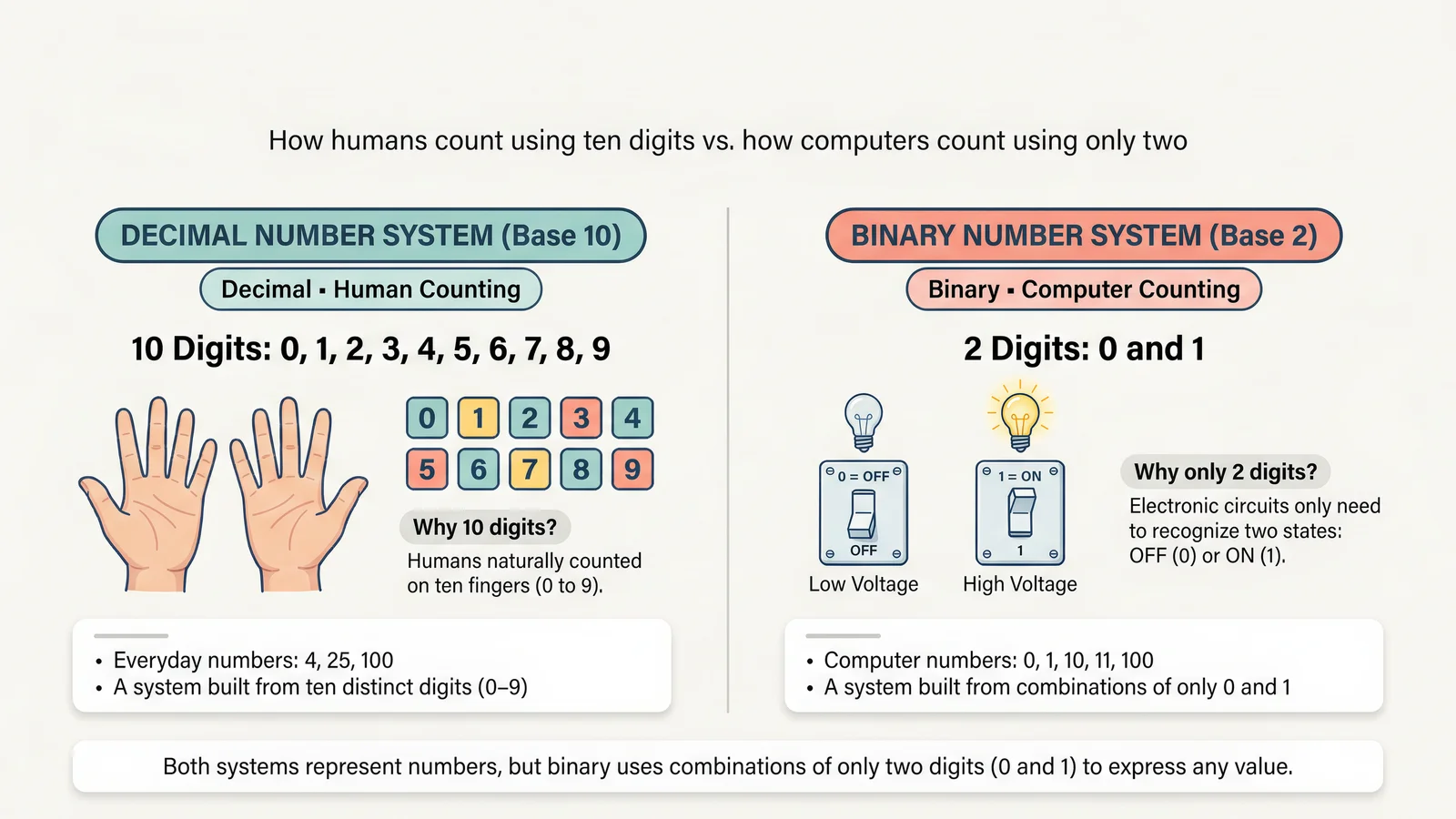
We use the decimal number system in everyday life, which has ten digits (0–9).
Computers use the binary number system, which has only two digits (0 and 1). Both systems represent numbers, but binary uses combinations of only two digits to express different values.
The illustration compares the decimal and binary number systems, showing how humans use ten digits while computers represent numbers using just two.
How does this work?
Each additional bit doubles the number of possible combinations.
The illustration below shows how decimal numbers are represented in binary and how adding more bits increases the number of possible combinations.
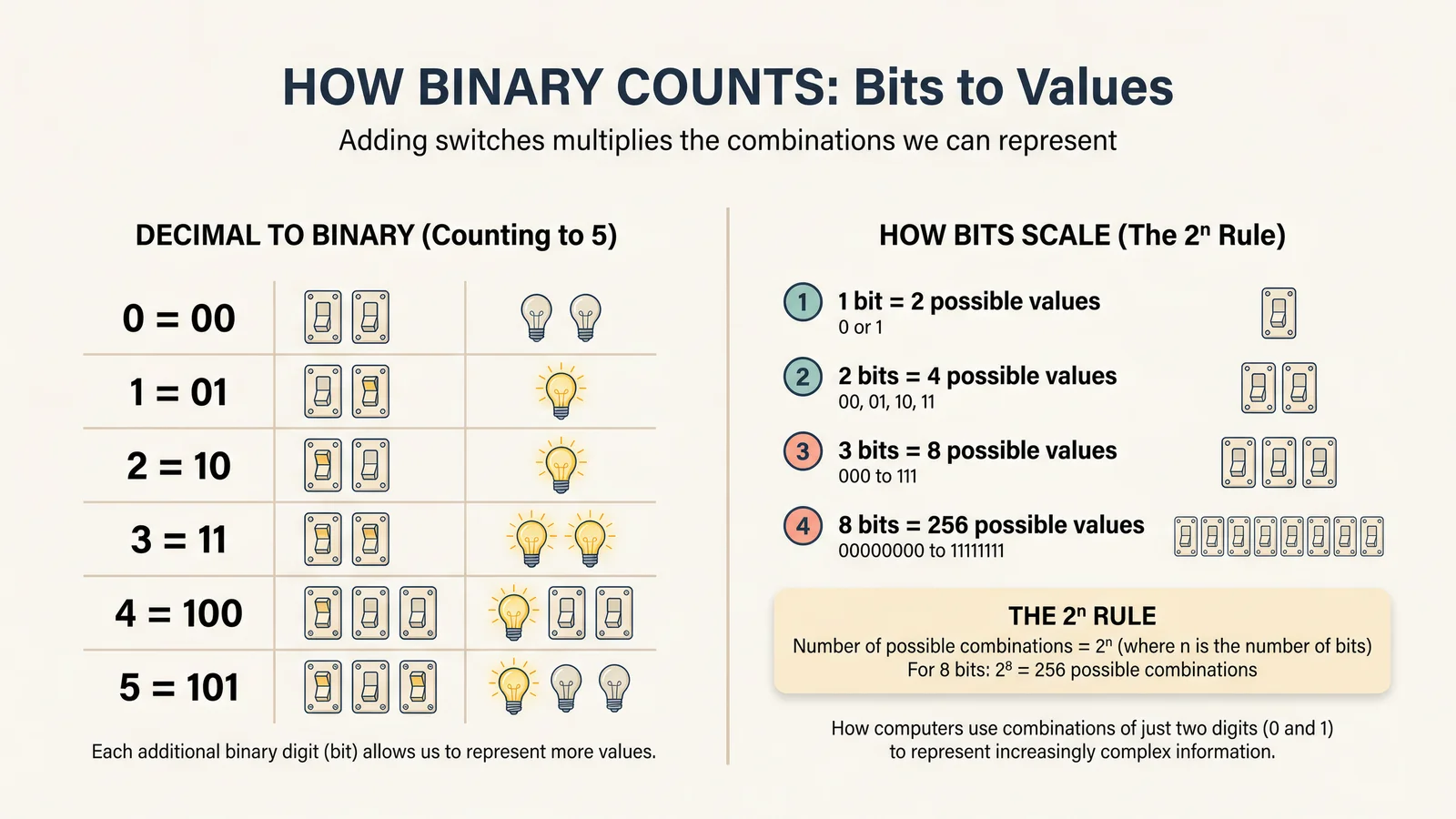
As shown above:
- 1 bit can represent 2 possible values.
- 2 bits can represent 4 possible values.
- 3 bits can represent 8 possible values.
- 8 bits can represent 256 possible values.
This follows a simple mathematical rule:
Number of possible combinations = 2ⁿ
Here, n represents the number of bits.
For example, 8 bits give us: 2⁸ = 256 possible combinations.
This is how computers use combinations of just two digits to represent increasingly complex information.
Understanding Bits and Bytes
Now that we understand binary, let’s look at two fundamental units of digital information: Bits and Bytes.
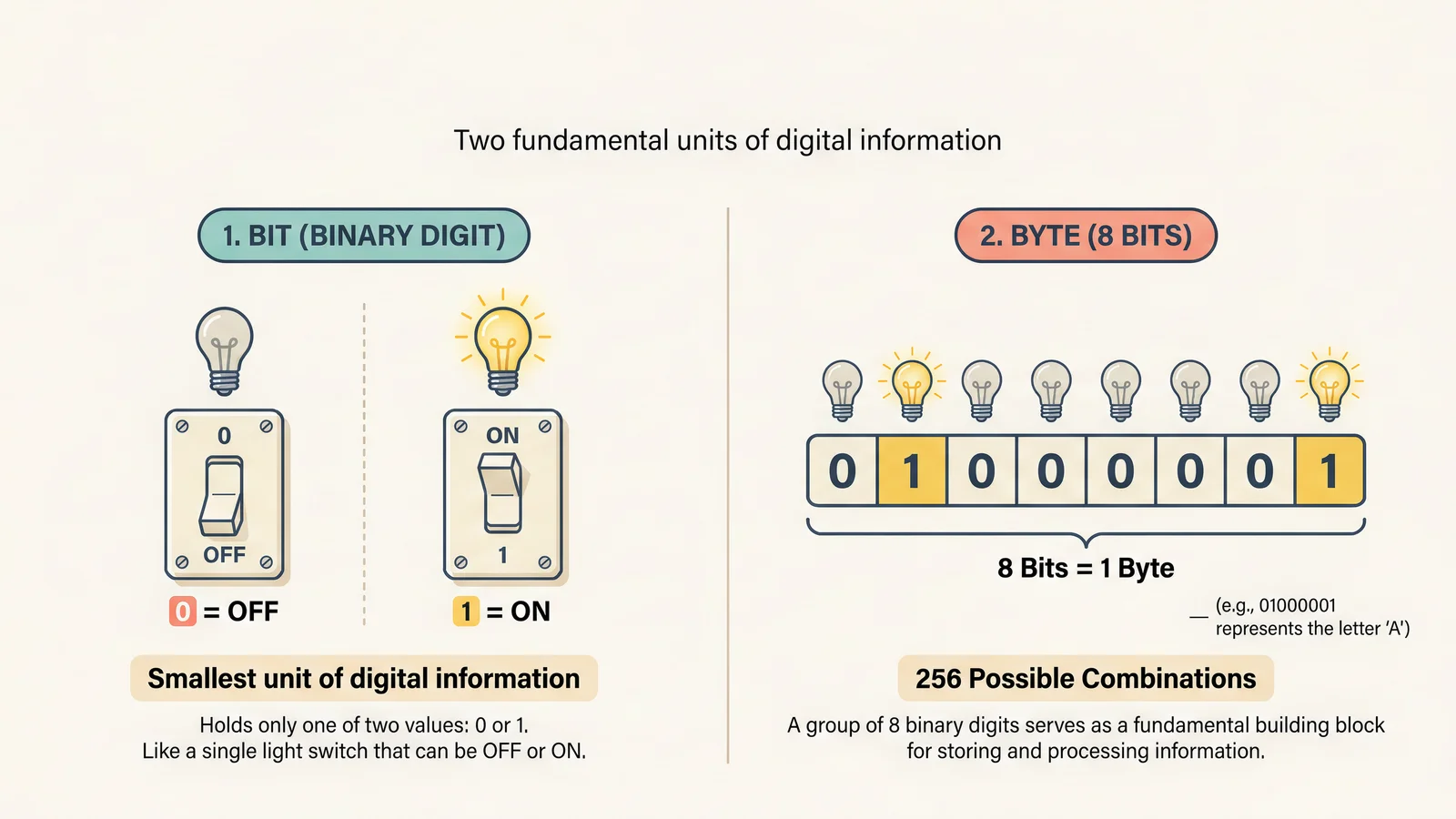
1. Bit (Binary Digit)
A bit is the smallest unit of digital information. It can hold one of two values: 0 or 1.
As shown on the left, think of a Bit as a simple light switch:
- 0 = OFF
- 1 = ON
A single Bit can represent only one of these two values.
2. Byte
A byte is a group of 8 bits.
As shown on the right, these eight bits can be combined into different patterns of 0s and 1s.
For example: 01000001
This is one byte containing eight bits.
In ASCII, this binary sequence represents the uppercase letter A.
Since each bit can hold one of two values, eight bits can produce 256 different combinations.
This gives computers a way to represent more than just individual 0s and 1s, and by combining bits into bytes, they can store and process different types of information.
But how does a computer use these combinations to represent text, images, sound, and video?
Let’s explore how different types of information are represented digitally.
How Do Computers Represent Different Types of Information?
Computers don’t store photographs as photographs or music as music. At the lowest level, digital information is represented using bits and bytes.
However, different types of information use different methods of representation.
1. Text: Representing Characters
When you type a message, your computer needs a way to represent each character as digital data.
This is done through character encoding, which defines how characters are mapped to numerical values that computers can store and process.
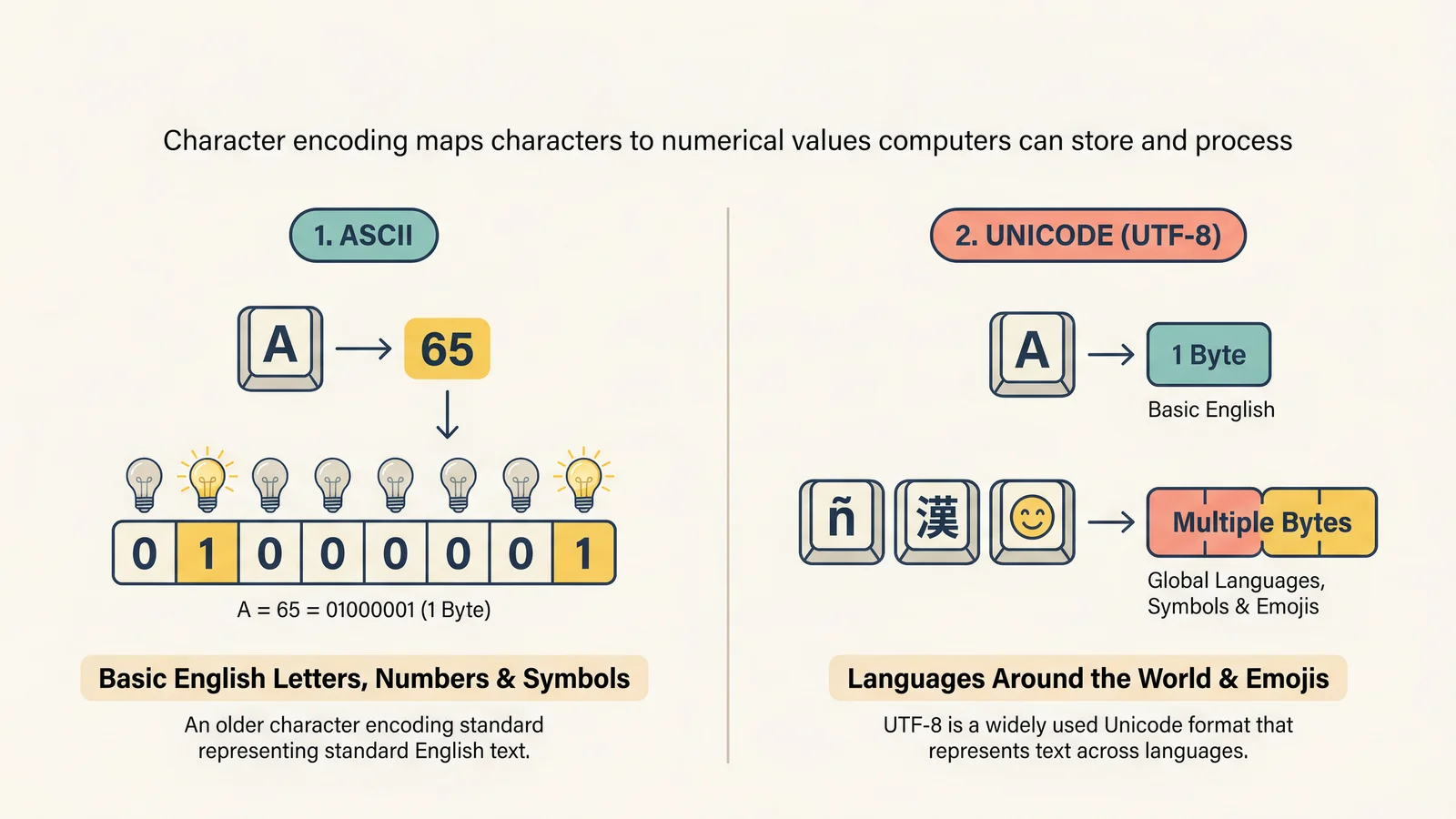
Two important standards help make this possible:
- ASCII is an older character encoding standard developed for basic English letters, numbers, and symbols. It provides numerical codes for these characters.
- Unicode was developed to support a much wider range of characters, including different writing systems, symbols, and emojis. One widely used way to encode Unicode text is UTF-8. It uses a variable number of bytes depending on the character. Basic English characters generally require one byte, while many other characters require more.
This allows computers to store and process text from languages around the world.
2. Images: Representing Pixels and Colors
Digital images are made up of tiny individual elements called pixels.
Each pixel stores information about a specific color, and millions of these pixels combine to form the images we see on our screens.
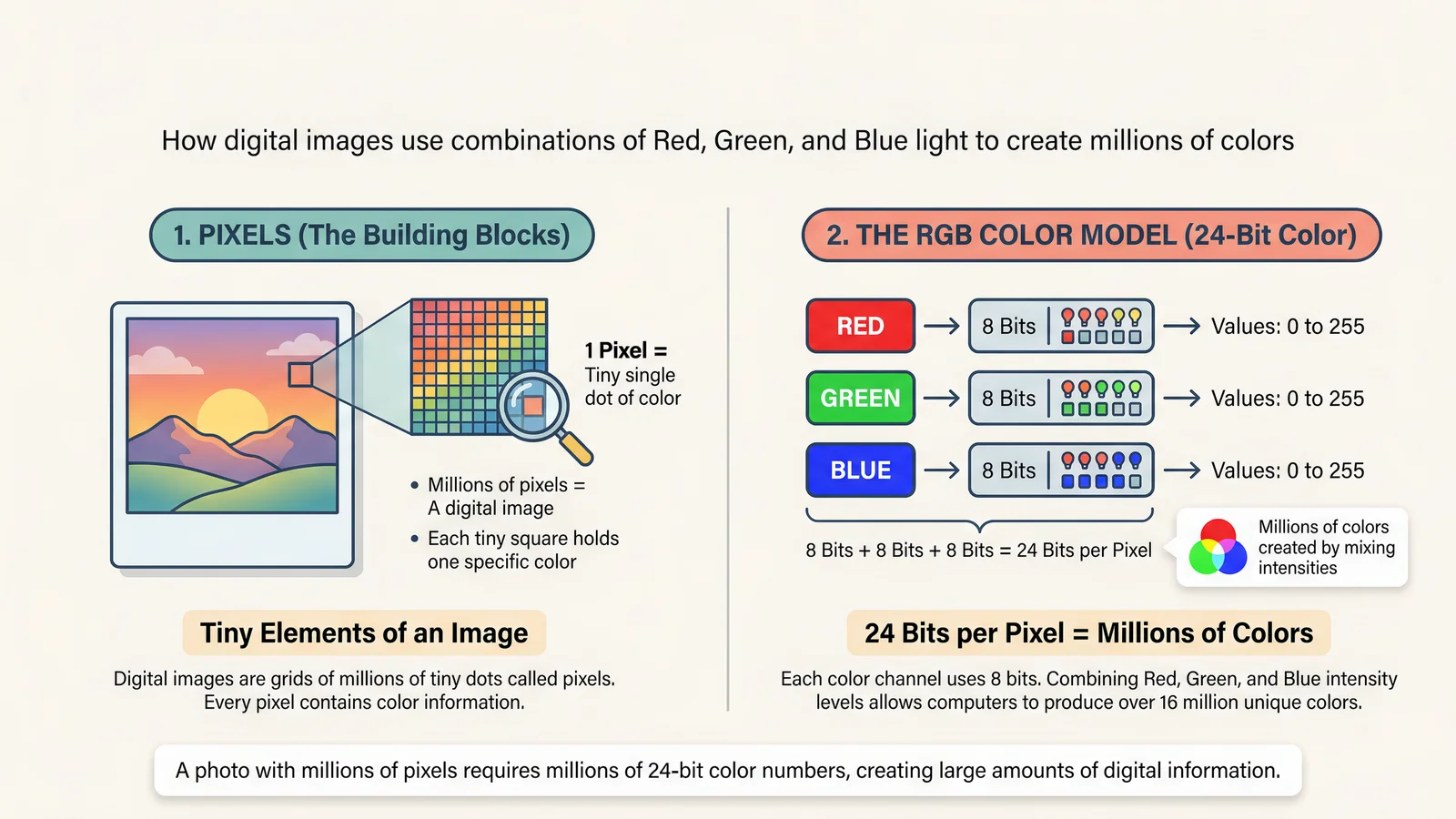
One common way computers represent pixel colors is through the RGB color model, which combines three primary light colors:
Red, Green, and Blue.
Each color has an intensity value. By combining different intensities of red, green, and blue, computers can produce millions of different colors.
In a common 24-bit RGB representation, each pixel uses 24 bits of information, with 8 bits assigned to each color channel.
This means a single pixel can represent over 16 million possible color combinations.
When an image contains millions of pixels, all that color information adds up, requiring significant digital storage.
3. Audio: Representing Sound
Sound travels through the air as vibrations, creating continuous waves that our ears can detect.
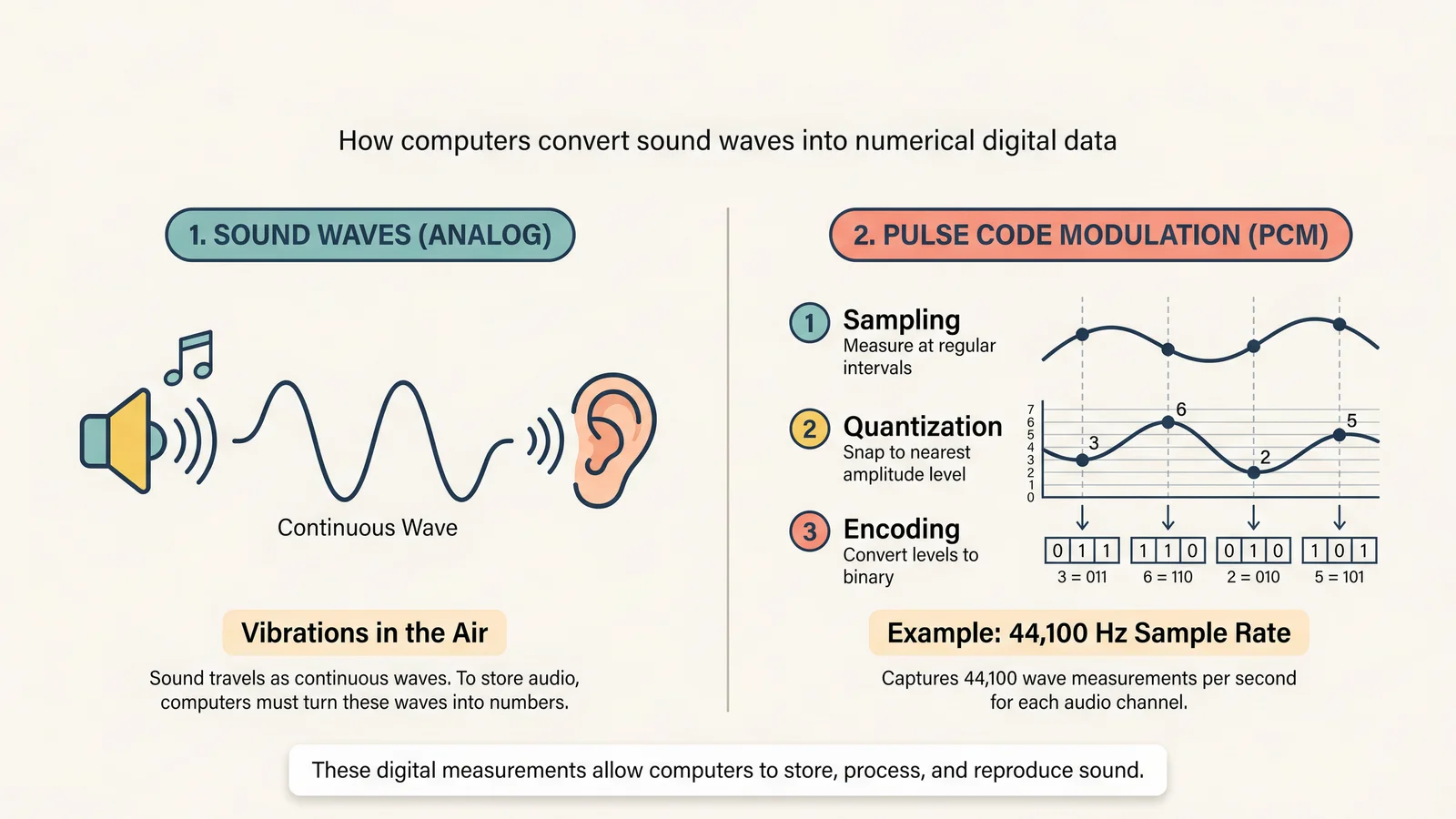
Computers cannot directly store these physical sound waves. They must first convert them into numerical data.
One common technique used for this process is Pulse Code Modulation (PCM).
It converts sound into digital data through three stages:
- Sampling: Measuring the amplitude of the sound wave at regular time intervals.
- Quantization: Assigning each measurement a numerical value based on a set of available levels.
- Encoding: Converting these numerical values into binary data using 0s and 1s.
For example, a sample rate of 44,100 Hz means that 44,100 audio samples are captured every second for each audio channel. These digital samples allow computers to store, process, and reproduce audio.
4. Video: Combining Images and Audio
A digital video is made up of individual images called frames.
When these frames are displayed rapidly in sequence, they create the appearance of continuous movement.
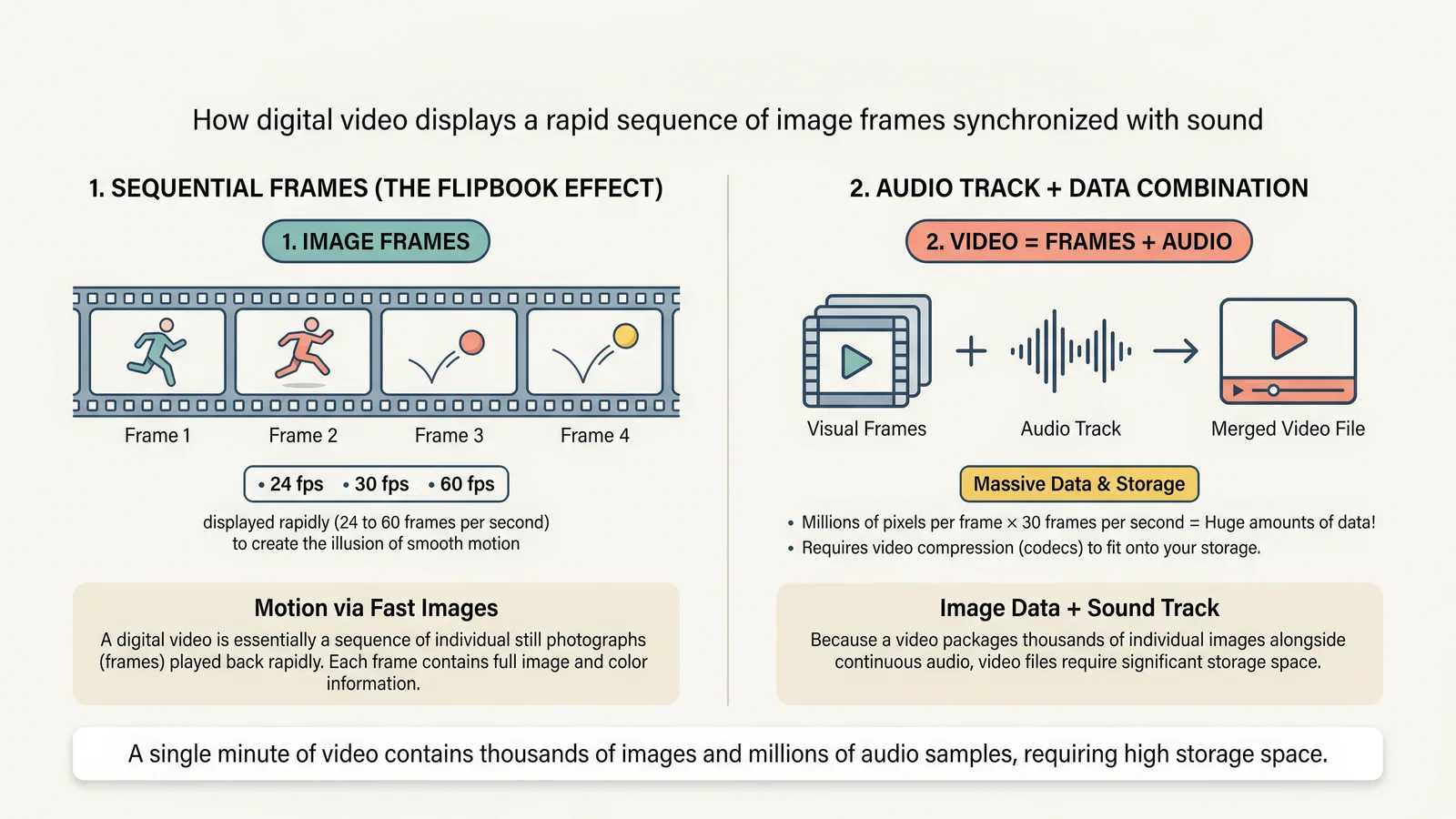
The speed at which these frames are displayed is measured in frames per second (FPS). Common frame rates include 24, 30, and 60 FPS. A higher frame rate displays more images each second, resulting in smoother motion.
But video is not just a collection of images. It also commonly includes an audio track that plays alongside the visual content.
Combining thousands of image frames with audio creates a large amount of digital data. This is why videos can require significant storage space and are often compressed to reduce their file sizes.
Understanding Digital Storage Units
We’ve seen how computers represent text, images, audio, and video using bits and bytes.
But how do we measure the amount of information stored on a computer?
We use digital storage units.
Starting with a byte, these units scale up as the amount of information increases:
- Bit (b): The smallest unit of digital information.
- Byte (B): A group of 8 bits.
- Kilobyte (KB): Approximately 1,000 bytes.
- Megabyte (MB): Approximately 1,000 kilobytes.
- Gigabyte (GB): Approximately 1,000 megabytes.
- Terabyte (TB): Approximately 1,000 gigabytes.
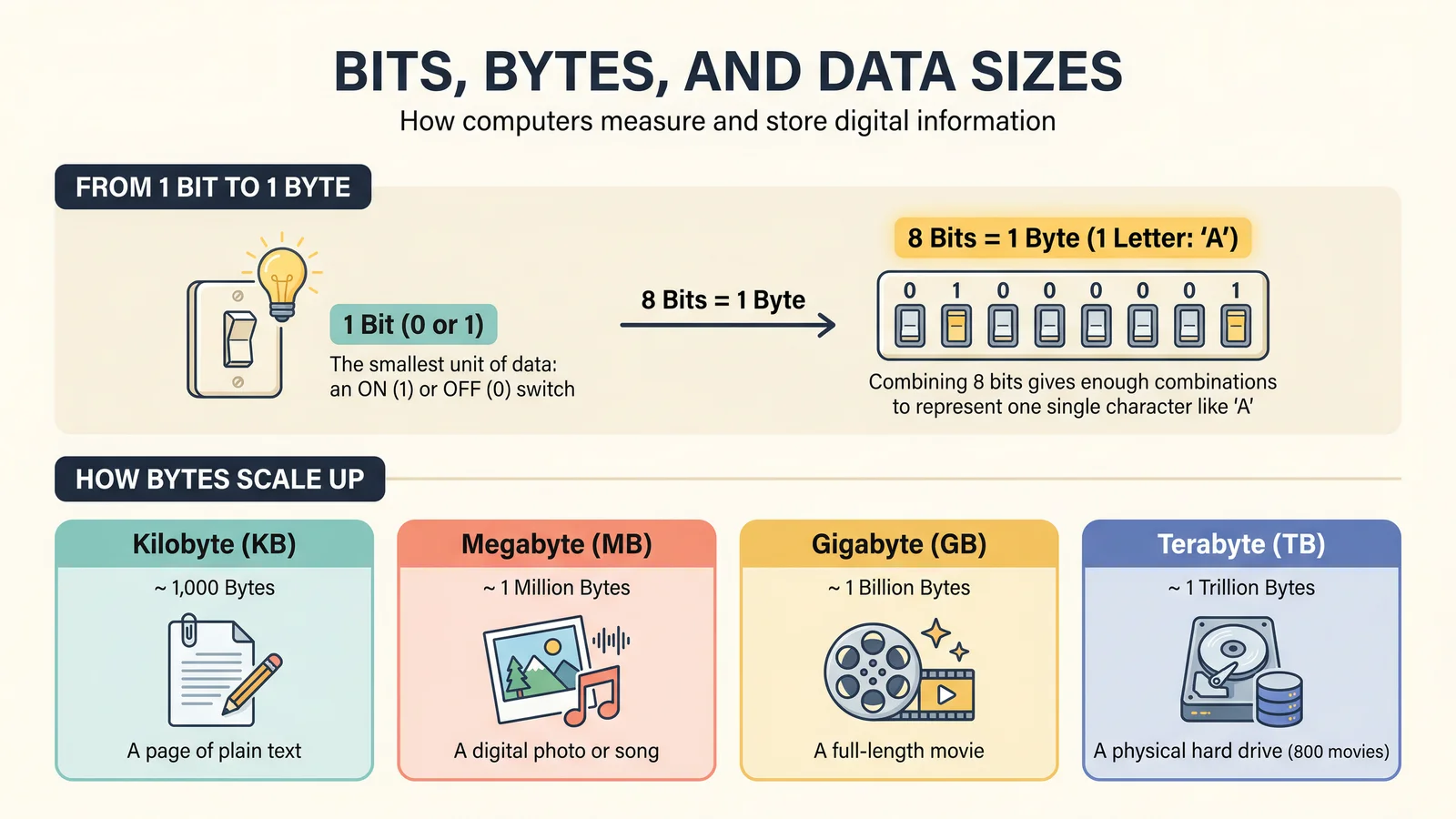
The illustration shows how individual bits combine into bytes and how storage units scale from kilobytes to terabytes.
To put these sizes into perspective:
- A simple text document might occupy a few kilobytes.
- A digital photograph might occupy several megabytes.
- A music file might occupy a few megabytes.
- A full-length movie might occupy several gigabytes.
These are approximate decimal measurements commonly used to describe storage capacity. Actual file sizes vary depending on the format and how the data is stored.
The more information a file contains, the more storage space it generally requires.
Conclusion: Putting It All Together
Let’s return to the question we started with.
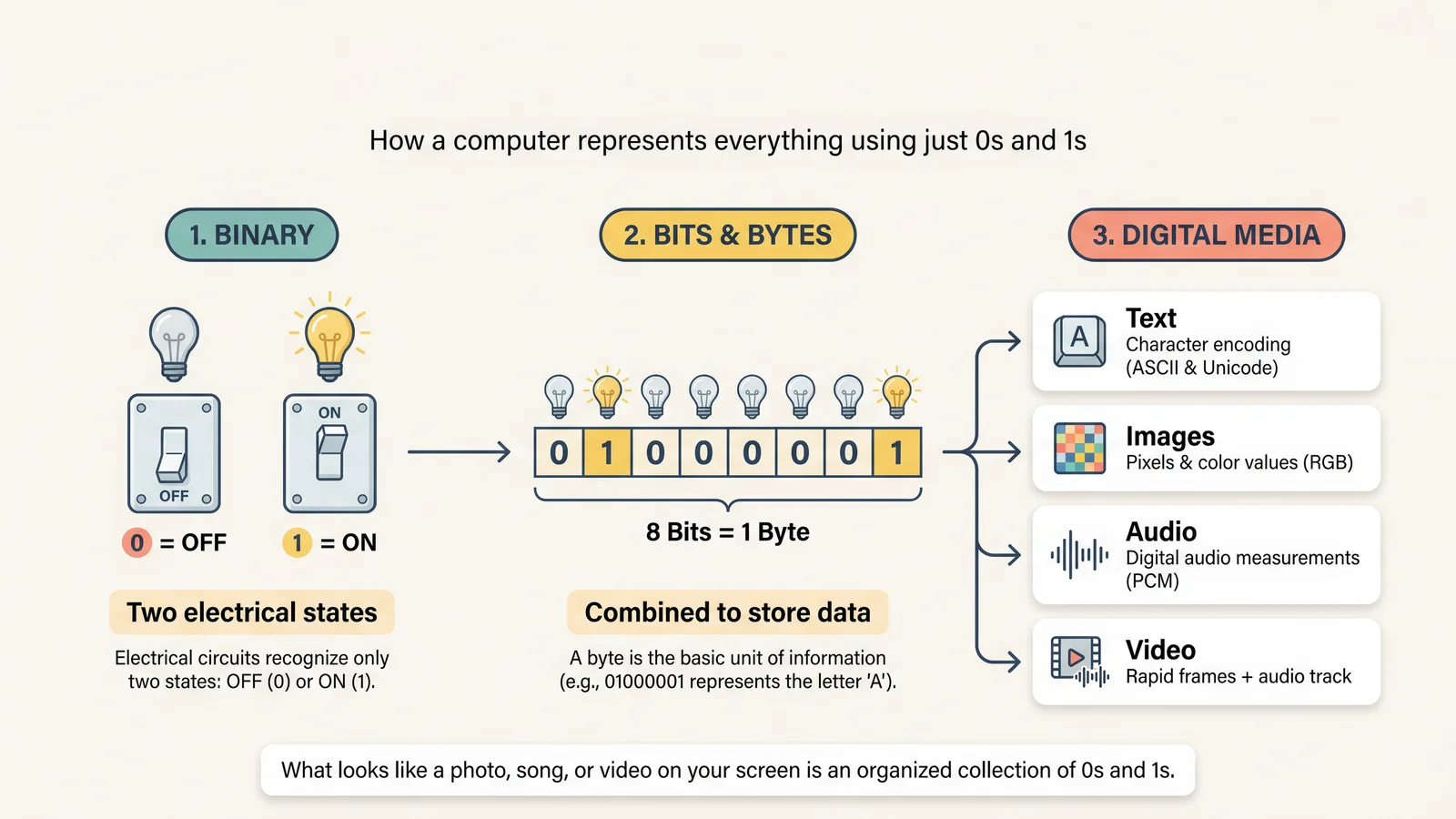
How does a computer represent everything we show it?
The foundation is Binary.
Electronic circuits use two distinct electrical states, represented as 0 and 1. These values form the binary number system.
Bits are combined into Bytes, and Bytes represent different types of information through encoding and digital representation techniques.
- Text uses character encoding.
- Images use pixels and color values.
- Audio uses digital samples.
- Video combines sequences of images with audio.
All this information is ultimately represented as digital data that computers can store, process, and transmit.
What looks like a photograph, a song, or a video on your screen is actually a carefully organized collection of digital information.
That’s how computers represent the world around us using just 0s and 1s.
Coming Up Next
How Do Computers Process 0s and 1s? Understanding Logic Gates and Boolean Logic
Computers use binary to represent information, but how do they use these values to perform operations and make decisions?
Explore Boolean logic, logic gates, and how electronic circuits process binary information.
Previously in this series:
To understand how the CPU, RAM, storage, and other essential components of a computer work together, read Part 1: How Does a Computer Actually Work?